Orpheus
Orpheus listens to a place and tells you what is there.
It runs a handful of machine-learning models over live audio — a bird specialist, a corvid specialist, a general sound classifier — and reconciles what they each heard into a single picture: one entry per real animal, with the evidence that identified it. It runs on hardware in your own home, and the recordings stay there.
Orpheus is a closed loop — an agent that observes the place it is in and acts in it. It is already wired to recognize animals by sound; recognizing them by sight goes in next. The playback path is built too, but no specific responding agent ships in this repository yet: the policies that decide what to say, to whom, and when are in active development, and full feedback loops are held to a high bar before they land here.
Using it responsibly. Orpheus listens to a real place, and with playback wired up it makes sound in one. Anywhere you run it is somebody's habitat. Don't deploy it in protected or sensitive areas, don't let it become a nuisance to your neighbors — human or animal — and use playback deliberately: sound directed at wildlife changes behavior, and it carries further than you expect. Running this software means taking that judgment on yourself.
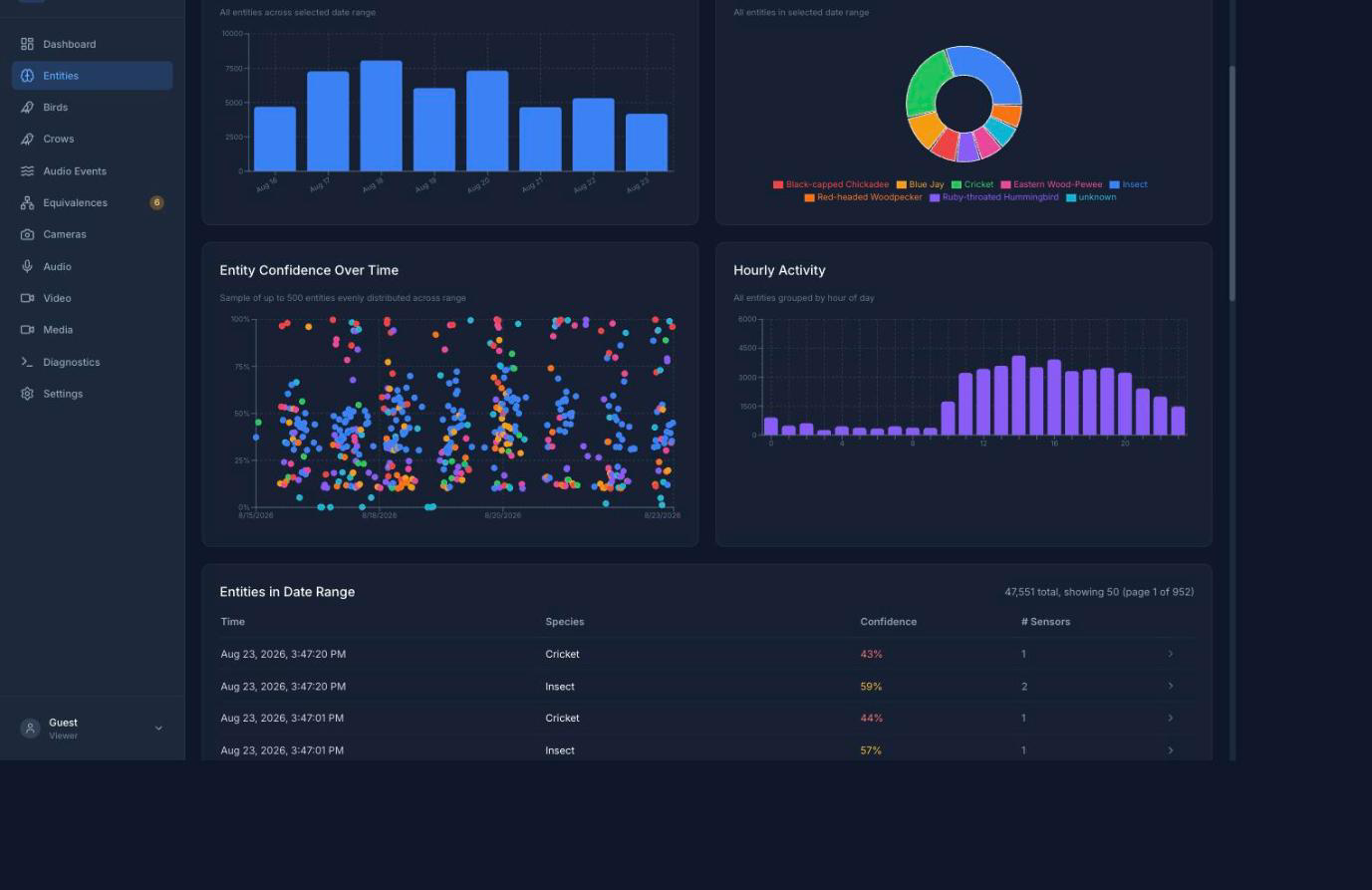
Eight days on a real deployment — 47,551 entities.
New here? What Orpheus is and how it compares to the other projects in this space, honestly.
Start where you are
 "I want to know what's singing in my yard"
You want the result, not the machinery. Someone else can set the box up — or an AI assistant can, see below.
- What Orpheus can tell you — is this the right tool?
- Using the dashboard — the pages, what they show, how to filter and play back what was heard.
- Playing back what was heard — finding a clip and listening to it.
 "I want to install it, but I'd rather not do it by hand"
- Installing with an AI assistant — a prompt to hand your assistant, plus the errors that actually come up and their fixes.
- Using the dashboard once it is running.
 "I'm setting this up on my own hardware"
- Your platform first: macOS · Jetson — both verified end to end — or Linux · Windows, which are published but not yet verified. Each is self-contained.
- Installation — the overall shape, and the production reference for a Linux or Jetson box.
- Configuration — microphones, detection sensitivity, retention, and the optional features.
- Security — what is exposed, what is not hardened, and what to change before anyone but you can reach the dashboard.
- Running and supervision — keeping it alive, upgrades, health checks.
 "I care about the data — where it comes from and where it can go"
- Data models — what a detection and an entity actually are.
- Equivalences — how Orpheus decides two labels mean one animal, and how you correct it.
- Retention — what is kept and for how long.
- Sharing safely — the read-only mirror, which ships as a CLI you schedule yourself, and the privacy-preserving public projection, whose dataset exists but whose hosted site does not yet.
 "I want to change how it works"
- Architecture — the agents, the event bus, the correlator.
- Contributing — the workflow, the gates, the house style.
- Voice and audience — who we write for, before you write documentation.
- Adding an agent — the recipe, including everything you must wire up.
- Testing — the test suites, what each one covers, and how to run them.
- The Simulacrum — running the whole collective in containers, with no hardware at all.
 "I want to work on responding and vision"
The two edges of the loop that are moving right now: deciding what Orpheus says back, and teaching it to recognize animals by sight as well as by sound.
- Architecture — where the playback agent sits in the system, and what runs alongside it.
- The playback agent — it plays a clip when asked; the policy that asks is what is in development.
- Corollary discharge — why the system tags what it played itself, off by default, so you can tell a reply from an animal.
- Entity taxonomy and source identity — knowing who is present is the prerequisite for addressing them.
- Adding an agent — the recipe, if you are writing a classifier for video or an agent that responds.
- Open work is tracked in
GitHub Issues — including
consuming the latent state-space memory, which is off by default
(
correlation.state_space_memory_enabled) and read by nothing.
How this site is organized
- Operator's Manual — installing, configuring, deploying, running, and fixing.
- User Guide — using the dashboard.
- Architecture & Design — how it works and why, including the decision records.
- Coding & Contributing — the rules, recipes, and gates for changing Orpheus. Written for humans and coding agents alike; there is one documentation tree, not a separate one for machines.
- Project — the repository README, the changelog, the code of conduct, and how to report a vulnerability.
The larger sections open with an overview page that says what is under them. Use the search box at the top for anything specific — it indexes every page.